 Hugging App
iOS UI element examples
Visually reviewed UI patterns from public App Store screenshots.
Bottom tab bar
A persistent five-item tab bar anchors the feed below posts and inline reply actions.
Reviewed 2026-09-19 · App Store source ↗

Inline poll
Poll choices show percentages within a post, with replies directly beneath.
Reviewed 2026-09-19 · App Store source ↗

Community header
A community title, member count, and Join action sit above its post feed.
Reviewed 2026-09-19 · App Store source ↗

Search and trending list
A search field precedes trending topics and suggested accounts.
Reviewed 2026-09-19 · App Store source ↗

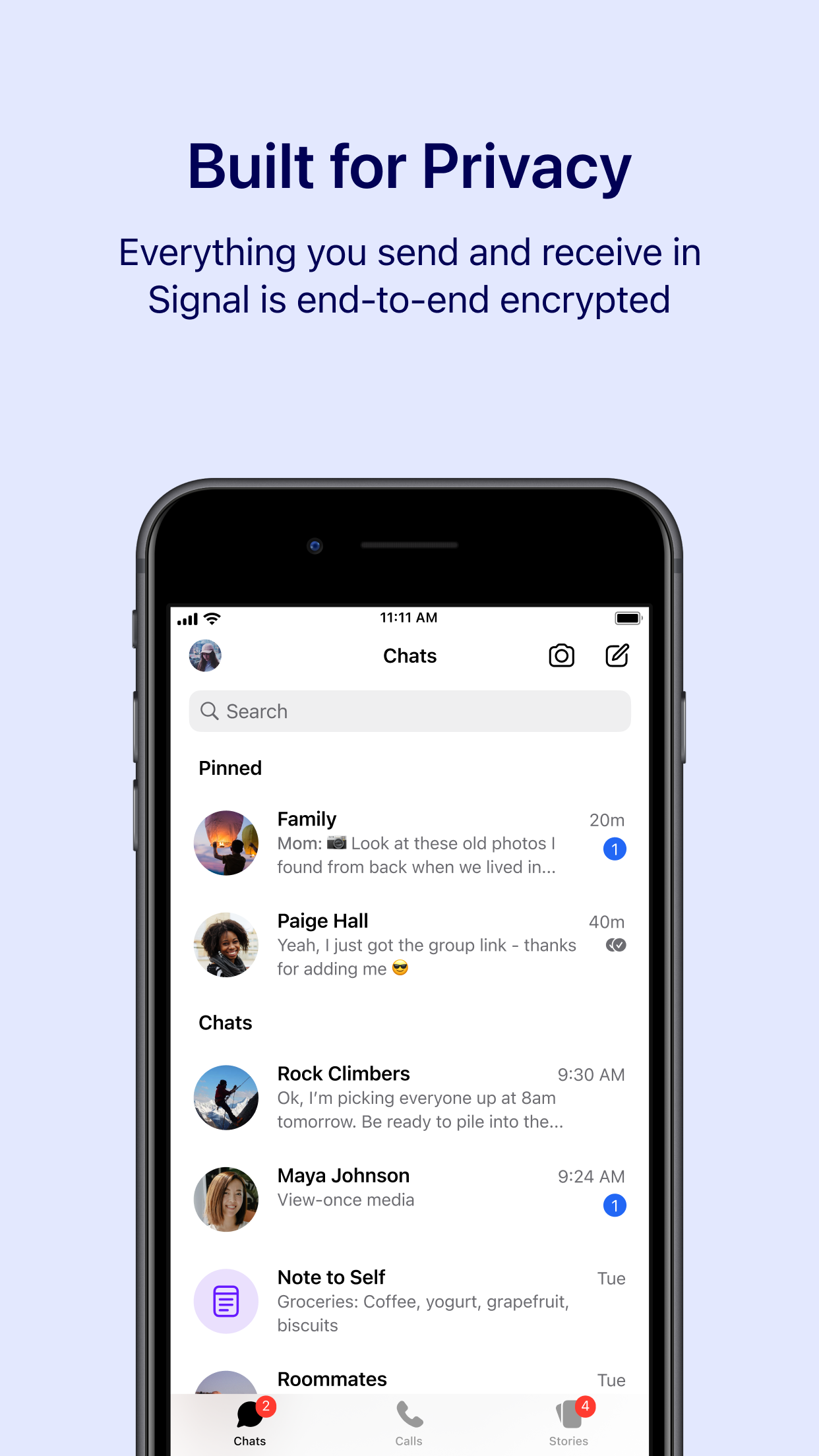
Chat inbox
Avatar rows combine message previews, timestamps, unread counts, and category tabs.
Reviewed 2026-09-19 · App Store source ↗

Voice-message composer
The conversation includes a voice-message waveform and a prominent microphone control.
Reviewed 2026-09-19 · App Store source ↗

Emoji picker
An emoji grid sits above category shortcuts inside the message composer.
Reviewed 2026-09-19 · App Store source ↗

Message bubbles
Incoming and outgoing bubbles use opposing alignment around shared media.
Reviewed 2026-09-19 · App Store source ↗

Sticker drawer
Search and sticker categories appear in a drawer below the conversation.
Reviewed 2026-09-19 · App Store source ↗

Group-call grid
Participant tiles share the screen with a compact row of call controls.
Reviewed 2026-09-19 · App Store source ↗

Presence badges
Contacts and conversations show colored availability indicators beside avatars.
Reviewed 2026-09-19 · App Store source ↗

Join voice action
A wide green Join Voice button sits beneath a channel and participant list.
Reviewed 2026-09-19 · App Store source ↗

Pinned conversations
The inbox separates pinned conversations and shows search above message rows.
Reviewed 2026-09-19 · App Store source ↗
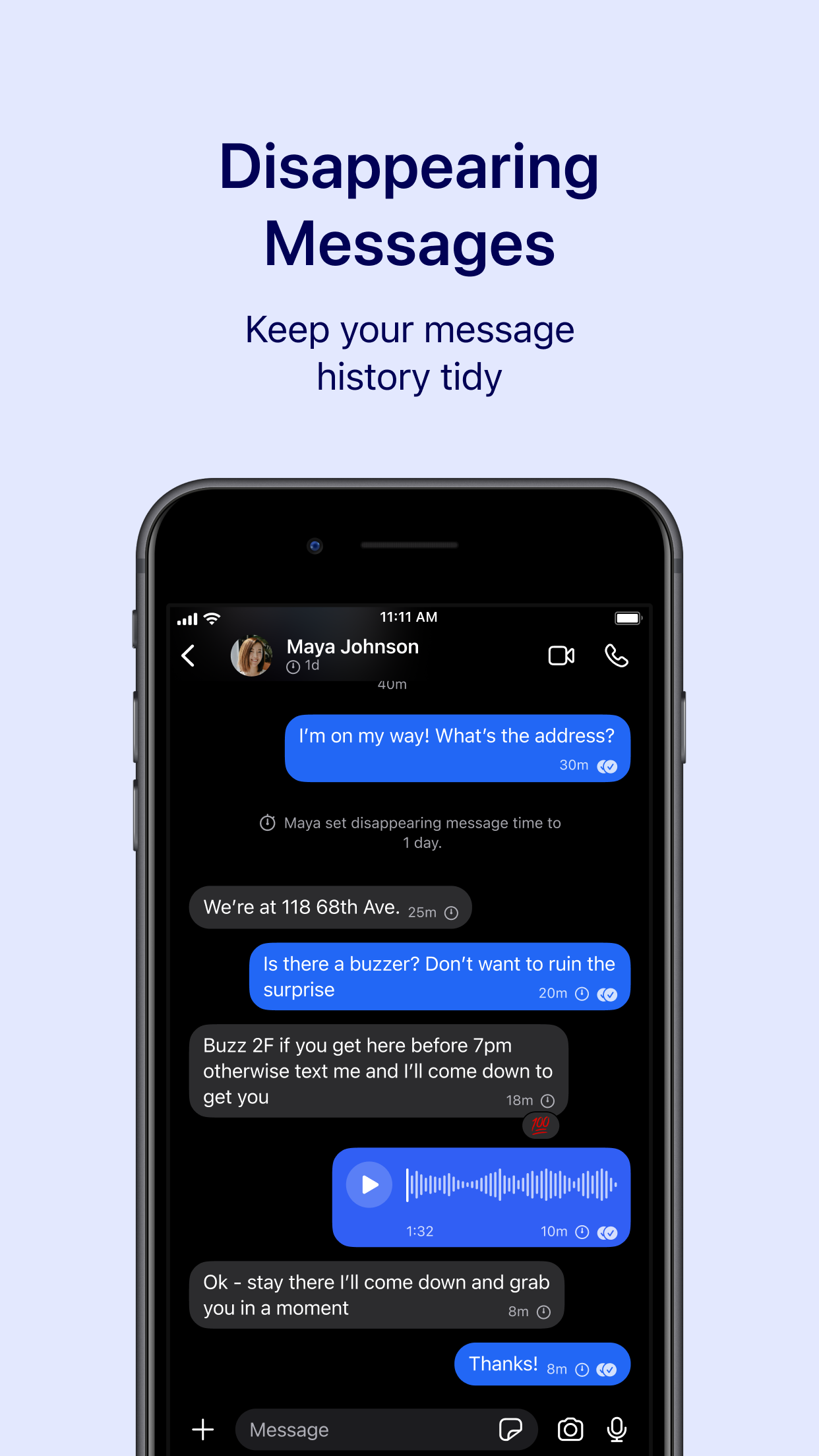
Audio message bubble
A voice recording uses a waveform and play control within the conversation.
Reviewed 2026-09-19 · App Store source ↗
Video-call controls
A participant grid is paired with microphone, camera, more, and end-call controls.
Reviewed 2026-09-19 · App Store source ↗

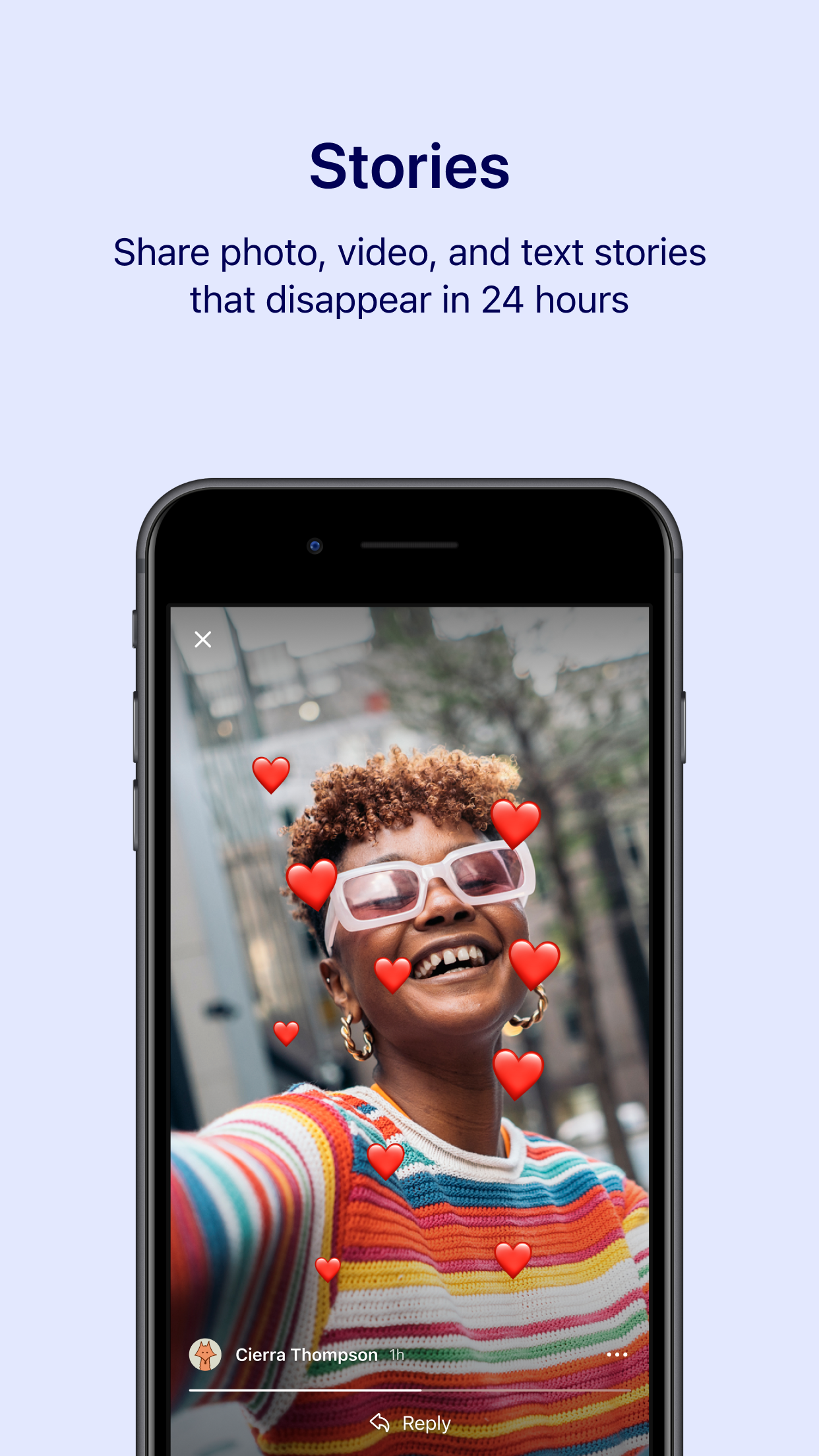
Story reply overlay
A full-screen story overlays a close action, author attribution, and reply affordance.
Reviewed 2026-09-19 · App Store source ↗
Related-content bottom sheet
A partial sheet exposes related visual results below the focused image.
Reviewed 2026-09-19 · App Store source ↗

Shopping suggestion chips
Horizontal topic chips lead into a Shop similar panel with image results.
Reviewed 2026-09-19 · App Store source ↗

Visual search filters
A search field, topic chips, color swatches, and masonry results share one view.
Reviewed 2026-09-19 · App Store source ↗

Content category tiles
Four colored category tiles sit below search and above a featured program.
Reviewed 2026-09-19 · App Store source ↗

Dark content list
Sleep content is arranged as illustrated rows within a dark interface.
Reviewed 2026-09-19 · App Store source ↗

Teacher selection
Selectable teacher rows precede a Begin Course button on a course detail view.
Reviewed 2026-09-19 · App Store source ↗

Workspace shortcuts
Recent-page cards sit above an expandable favorites list.
Reviewed 2026-09-19 · App Store source ↗

Grouped page links
Headings divide a workspace into groups of page links with small icons.
Reviewed 2026-09-19 · App Store source ↗

Database list toolbar
A list of trips includes search, filter, and add controls beneath the page header.
Reviewed 2026-09-19 · App Store source ↗
